Anastasia's Blog
The somewhat updated blog of Anastasia - the girl who is obssessed with Tony Hawk's Project 8
Posted on 11 November 2026
Hello, everyone ^^
With this blog entry, I’d like to discuss the most difficult part of THP8’s AnaMod: Online Play on PS3. Not going to lie, this took the majority of my time to figure out over the last 3 months, but getting it to work slowly was definitely worth it. There are a lot of things that could definitely be improved, but I think this is a good state right now. But, first, a history lesson.
Online Discovery
Going in, I knew that THP8’s code for 360 and PS3 was similar in structure. Of course, there was the individual engine and it needing to be converted into PowerPC, but the game’s scripts (qb files) would be very similar. Seeing as how they are the basis of a LOT of the game’s logic in previous games, I felt insanely confident on this assumption.
After delving a bit into the code for a while, I found only a handful or so files were different. The difference was very small - usually the addition of SixAxis for PS3, insanely small bug fixes, or so on - with a lot of the internal workings still intact…. Mostly.
I found that the PS3 version of the game ships with a lot of the Online code, but pretty much all of it is inaccessible. At the time, PlayStation Network (PSN) was launched alongside the PS3… but the PS3 was already behind the 360 at the time, so it is probably safe to say that Neversoft didn’t have enough time to prepare the online component. Trophies were not introduced until a few years later, too.
There was no “eureka” moment, except for a few problems I found that I will discuss as we move along. It crashed pretty quickly into my first attempts. What? A PS3 game with no online play being modded to play online and crashing?? No way.
First Hurdle: No Network
The first major issue is that the network layer is not initialized. And, without it, the game hung immediately upon attempting to host the game. So, off I went into the code to see what could initialize it… Which, well, turned out nothing.
To my newbie horror, I realized that EBOOT.bin file may not actually have the code to start the network layer. Why would it? THP8 PS3 had no networking. Okay, well, technically it did in leftover Havok code… But it’s a mess.
Technically, and this could be going on for a bit with the Neversoft engine, the game does run as a “server” with a local client. On boot, you have two sockets generated internally. The game technically has networking built-in, but it connects to itself without networking. Switching it to LAN Mode exposed the networking portion of the game… At least, that is what I thought.
However, RPCS3 (the PS3 emulator) was not initializing it - not because it was blocking it or anything, but because the game wasn’t saying to start the network library. The first thing that needed to happen was a small RPCS3 patch that would enable this and allow me to host the game on a port (5150) on the computer.
This took a while, but I was able to figure out how to disassemble EBOOT.bin - which, in turn, meant it took more time to understand how to make it useful for me. Over time, I added some small things to make my life a little better. I honestly almost gave up a few times.
Eventually, I learned that the Havok engine has an example of a path forward. I couldn’t use Havok directly - I tried and it froze my game since it was trying to find a new IP it could use forever - but I could lift some of the instructions.
In short - and I did this a few times - I found unused functions and script natives, hijacked them with my own code, and got it to work my specific way.
Second Hurdle: Packet Length
This one baffled me for a bit and a lot of testing with tcpdump, firewall settings, and some prints (which, fun fact: the game has print functions… and they do nothing! So, I made a quick RPCS3 patch to make them appear!! ugh).
Come to find out (of course), it was an engine bug for the PS3.
When a player joins, the receiver had a flag enabled that expected 2 bytes at the beginning of the first packet. The host would reply, the receiver’s packets would be out-of-order, and it wouldn’t join. Once the flag was figured out (and some cross-examination with Xbox 360’s version), it was disabled and the games could connect.
Third Hurdle: Join Crashes
This next bug is pretty strange, and also affects the 360 versions of the game (technically). If a player joins the lobby, they are assigned ProSkater if they have no name given. On initialization, the game originally did NOT load your skater’s name; the name on the 360 versions was tied to your Gamertag. When you went online, your Gamertag was unique and you could not have another in existence.
So… What would happen if both players were ProSkater?
On join, the game performed a few actions:
- When a player joins, it would check to see if anyone else existed with that name. If someone existed, they would be force-removed (assumingly it was to remove stale/broken states for players?).
- Upon removing that skater, on the next tick the game would ask for your character to keep the camera consistent and locked to the player.
- Since no skater existed, the game would read a null pointer and crash.
Unfortunately, that code was built into the executable. I took a few different swipes at fixing it in the scripts, but I could not find a way around it. This highlighted three things:
- I needed to add a check to, if a player with a given name already existed, they would be told that connection failed and give them an error message.
- The game needs to load the CAS or CAREER/SPEEDRUN skater before going online.
- An additional patch needed to be added to make sure it wouldn’t kill skaters and crash games.
Point 1 and 3 needed further executable changes; luckily, point 2 could be done with normal scripts.
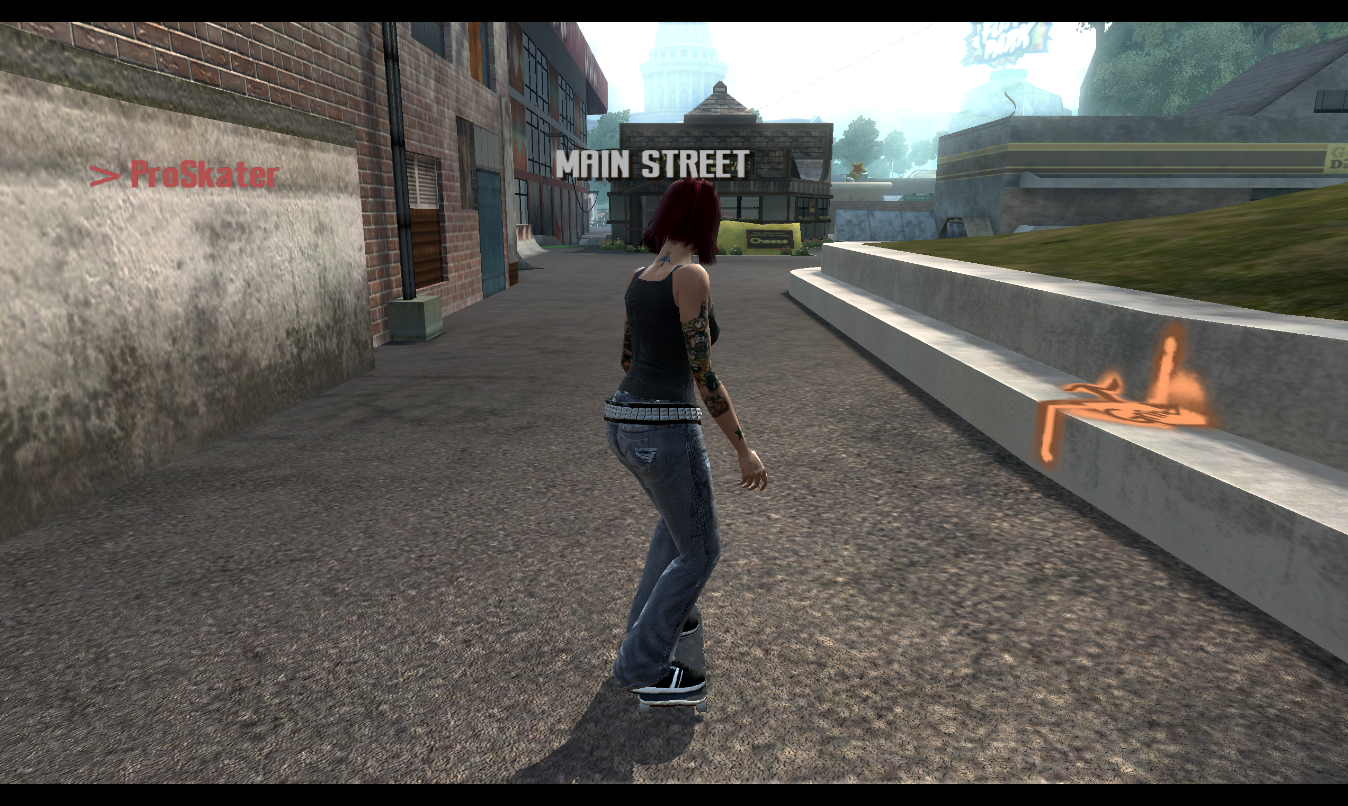 finally…
Online Play?
After those three hurdles were overcome, I could connect my main PC to my SteamDeck. At first, I just hard-coded the IPs I needed to connect (side note: DNS entries will not work!) and it worked fine! Tried both sides, and it was good!
Well, except a few things…
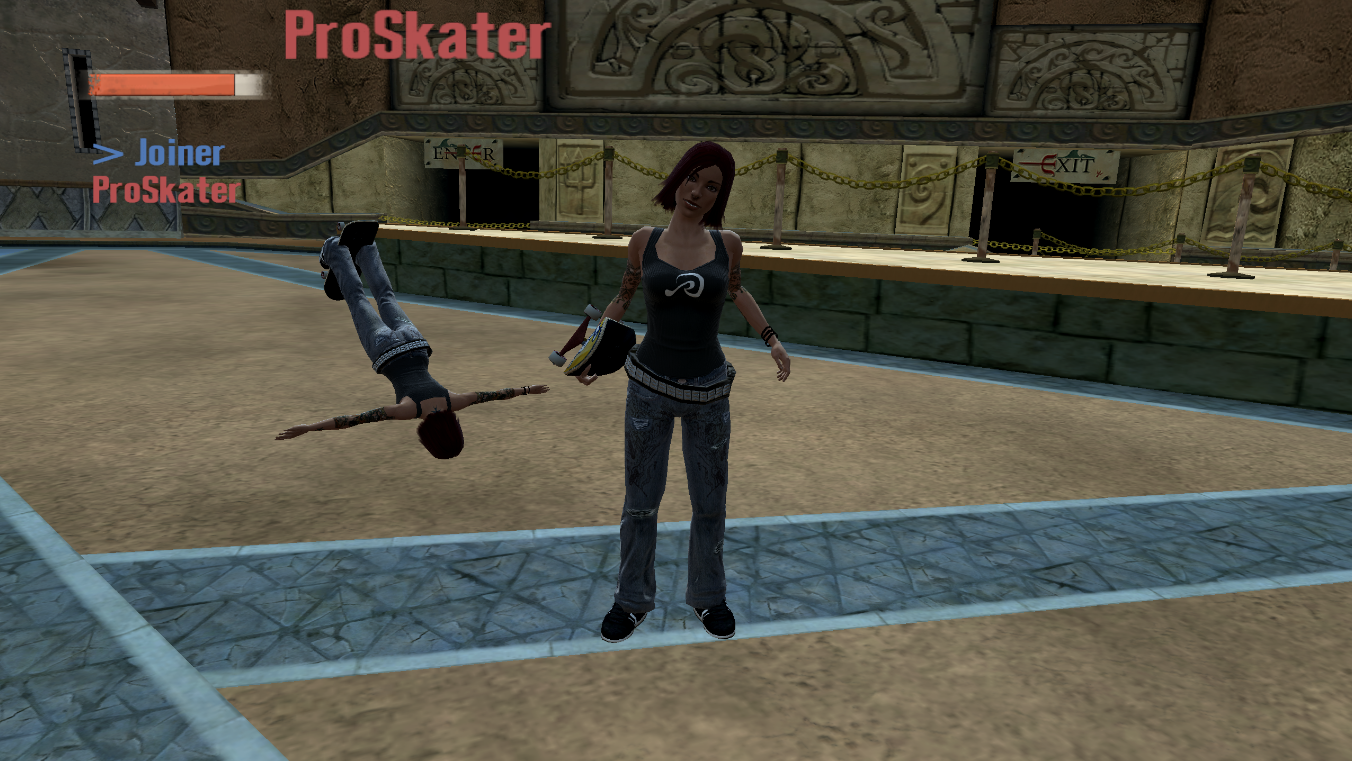 hmmm…
That’s not quite right.
Fourth Hurdle: Animations
Oh lord, where do I get started with this? Somehow this took a bit to figure out, and I had to do a lot of testing to figure this out. A lot of T-poses, a lot of animation corruptions, a lot of upside-down nonsense.
Below are a handful of the issues I encountered; all of which required some sort of change to the main game and/or the scripts:
T-Poses
To put it bluntly: the game “replays” actions and animations received from other players, with some variance based upon external factors like latency. If the game doesn’t tell your machine that Bobby B’s skater in Alaska did a specific trick, your game would be none the wiser.
I went in kinda thinking (probably naively) that the sending part would be the problem. Nope! The game was sending the animations just fine, and they were arriving on the other end. The receiving game just had nothing to play them with. When the game sets up a skater, it writes out a full description of the part that plays animations, and then only actually builds it if that skater is you. Everyone else’s skater never gets one. So every “play this animation” message was quietly thrown away, except for one type (changing an animation’s speed), which didn’t check and crashed the game instead.
So I patched the game to build that part for every skater… And it still T-posed! Turns out the game had a second lock on the door: every frame, the game would ask if it is online and, if so, is it your skater? If the answer is no, it is not your skater, then do nothing. So the other skater’s animations were piling up and never being played. I removed that check, and that was the first time I ever saw another player’s skater actually animate.
After all of that? Two skaters gliding around the park in a T-pose animation the entire time. Amusing, but not really riveting gameplay.
Broken Flips
Within the vanilla game, the game kept data on flips or tilts or spins in 6 slots. These 6 slots were taken pretty much immediately, and no “clear” message was ever sent by the player to say that they are done doing that action. So, the patch here (luckily) was just to tell the game to “clear” it when it was supposed to.
They would also do this… uh… Gravity-defying trick.
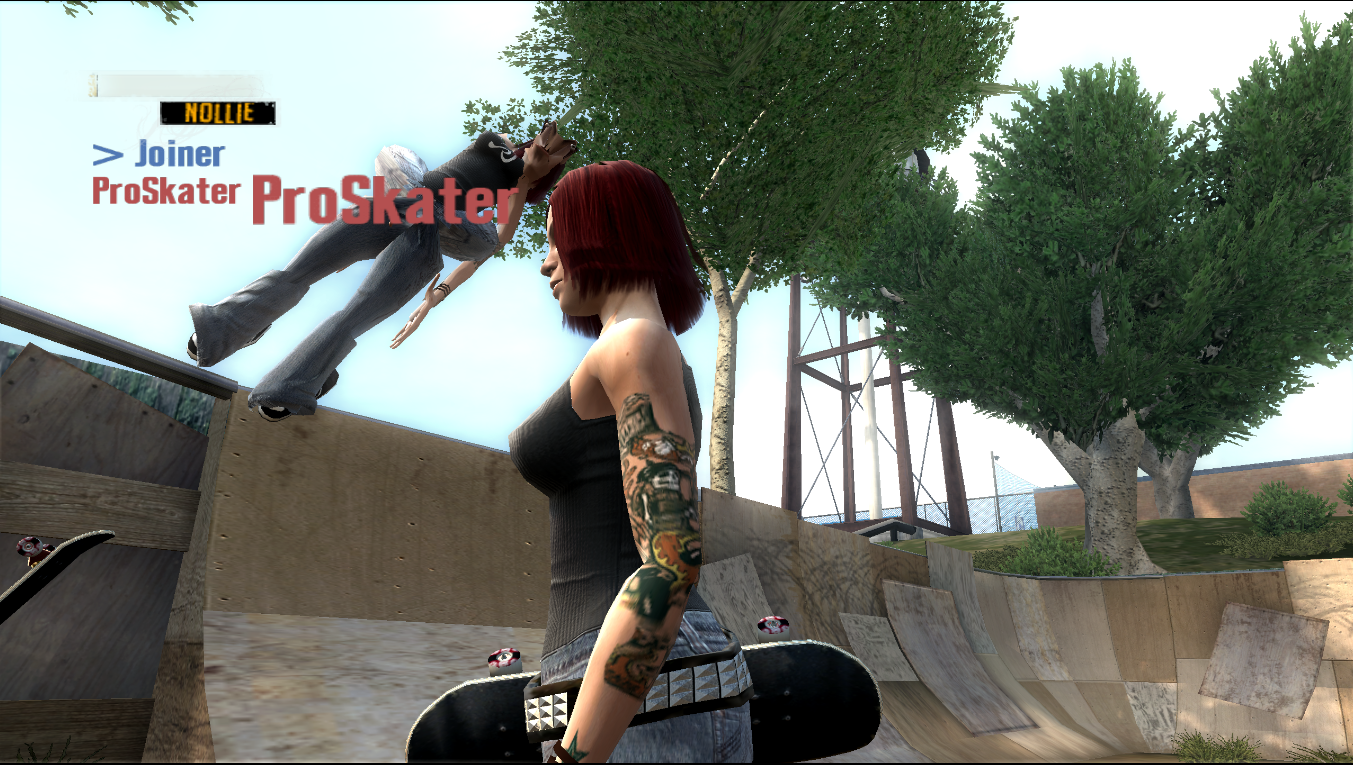 this looks off…
Tricks Not Showing
Ugh. This one took a while too.
Essentially, the game is supposed to send information on the jumping, the top of your jump, and your landing. Two separate bugs occurred:
- All three states would be sent in a single frame. Then, the game would say “only the landing counts!”… Which meant that the jump and and top of the jump and anything involved would not occur.
- Field data was being overwritten and corrupting parts of the animation name when the playback was supposed to occur on other systems. The game - as you would expect - crash.
Now, if there is any sort of oddities with the animation tree (e.g., corrupted names, somehow), it won’t crash the game.
Flips Not Showing
This one… I have no clue what I am supposed to do after the last fix, honestly. And, this could just be a consequence of the fact that THP8 PS3 shouldn’t even be online anyways.
Over time, the game state and playback clock between the skaters desync. At around 300-350ms, the game is supposed to do a “catch-up” state; but, around the ~150-175ms range (which was easy to happen locally with some heavier WiFi stuff happening on my Steam Deck), it would desync.
When the game performs an action and sends it to other players, there is a “queue” for playback. Flips would cause multiple events to be “queued”, but when the game is behind that queue can also be overwritten quickly by other actions.
Essentially, I made it so it nudged the “catch-up” window much earlier to compensate. It kinda works in testing?
Skater Skeleton Corruption
Through testing, I found a few corruptions. The last one you saw is one example, but here are a few more:
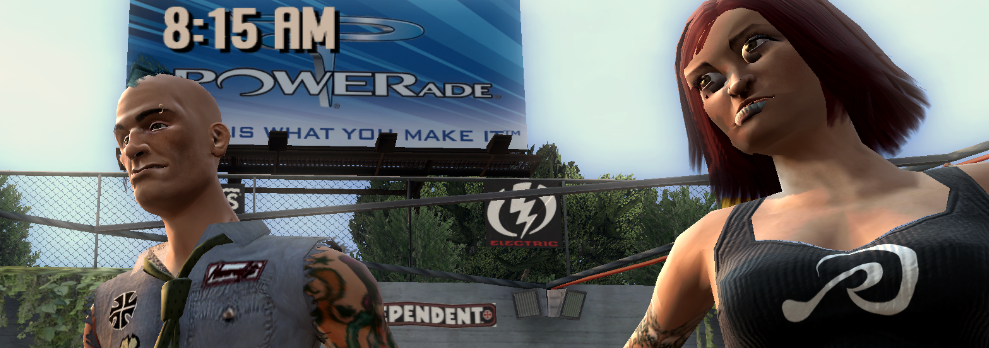 MONKA
Lots of Crashes
Every new piece of code resulted in new crashes!
- Slower computers didn’t clear their loading screen fast enough, which resulted in them hanging on the loading screen.
- Ending a run soft locked both client and server.
- Level select crashed the host in a few places.
- Pedestrians would attempt to spawn mid-match and crash the client (my fault since of testing I did prior, but still wanted to highlight it).
- Re-joining a session after disconnecting or failing would freeze the client joining the server.
- Some other nonsense I don’t remember.
Fifth Hurdle: Further Online Development
I got it to a good-enough state. And, I might come back to it at some point in the future if people want it, but the game has a few other issues with online:
- It has no PSN code (shocker).
- There are no remnants of GameSpy code.
- The 360 version of the server browser is tailor-built for the 360 and cannot be ported.
As of right now, the game only allows direct IP and only on UDP/5150 for the host. There is no uPnP or anything, either, so players will need to port forward to get others to play with them.
A server browser is possible, though… Sort-of.
I was able to force entries for my Deck and main PC, but it was baked into the scripts and could not be updated dynamically. Theoretically, I could make a way - especially since thps.run has a static IP - to have it query a web address for updates… But, I haven’t looked into it much at all.
The issue would be that it would need a heavier patch than what I worked on. And, seeing as how we are close to THP8’s anniversary at the time of this post, I am going to punt that to a future update.
There are a lot of things I need to consider first, especially from the security side of things, before I am down with the idea. Admittedly, AI could definitely do this in a fraction of a fraction of the time… But, I’ve come this far, so I might as well just do it myself later.